
Engineered for Perfection: Galaxy Book6 Delivers Advanced Performance and Al-Powered Productivity in a Sleek New Design
- Views: 100

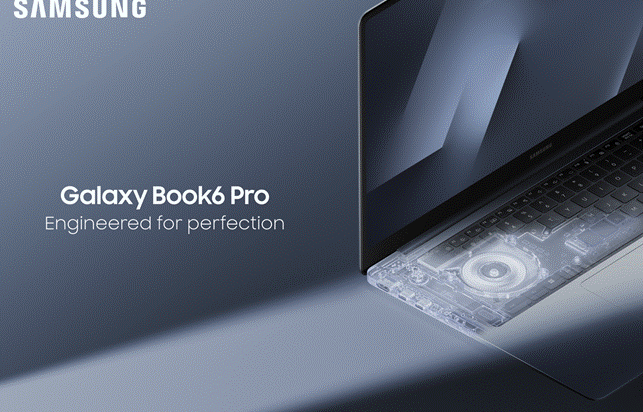
LAS VEGAS – Jan. 5, 2026 – Samsung Electronics Co., Ltd. today introduced Galaxy Book6 Ultra, Galaxy Book6 Pro and Galaxy Book6 during CES 2026. The most advanced Galaxy Book series yet, these devices feature robust performance that elevates AI-powered productivity through precise engineering in a perfectly balanced slim profile.
“At Samsung, we believe true innovation starts with getting the fundamentals right,” said Won-Joon Choi, President, Chief Operating Officer (COO) and Head of the R&D Office, Mobile eXperience (MX) Business at Samsung Electronics. “Performance defines the PC experience. With the Galaxy Book6 series, we combine unparalleled speed and power with dependable AI to deliver the exceptional productivity and creativity capabilities users expect from Samsung.”
Engineered for Unmatched Performance
Pairing cutting-edge hardware with immersive visuals and audio in a slim and portable design, the Galaxy Book6 series delivers Samsung’s most advanced PC performance yet. Powered by Intel® Core™ Ultra Series 3 processors — the first system-on-chips (SoCs) built on Intel’s new 18A process — Galaxy Book6 delivers efficient, high-speed CPU, GPU and NPU[1] performance, enabling lightning-fast processing, seamless multitasking and more responsive AI.
- The new Intel® Core™ Ultra Series 3 processors[2], built on Intel 18A —1.8-nanometer class node — deliver up to 16 new performance-cores (P-cores) and efficient-cores (E-cores), enabling more than 50% faster CPU performance[3] than previous generation Intel processors. And with an integrated NPU that delivers up to 50 TOPS,AI-driven tasks like image cleanup, instant translation and intelligent search happen instantly, without relying on the cloud.
- With the latest NVIDIA® GeForce RTX™ 5070/5060 Laptop GPU, Galaxy Book6 Ultra unlocks next-level creativity and entertainment experiences with high-speed AI image generation, super-smooth video playback and editing, and deeply immersive gaming.
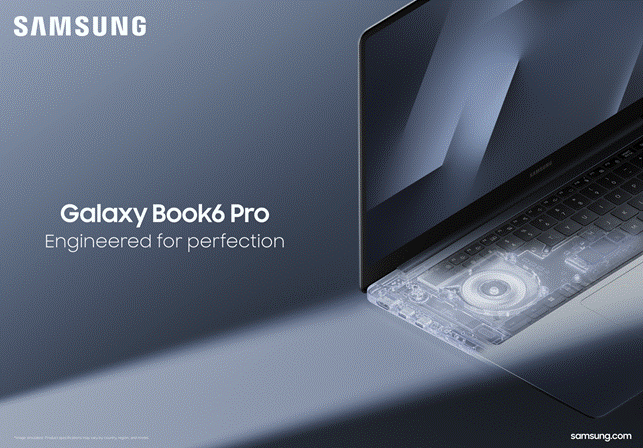
To maximize performance, powerful hardware must be supported by an equally advanced thermal system. Samsung meticulously designed cooling architecture that delivers efficient and consistent operation, without the trade-off of excess noise. The newly optimized vapor chamber and airflow system enhance heat dissipation while maintaining quiet operation across Galaxy Book6 Ultra and Pro models, marking the first time the Pro series uses a vapor chamber.
- The vapor chamber is newly introduced in Galaxy Book6 Pro and redesigned with a larger surface area in Galaxy Book6 Ultra, distributing heat more evenly to keep the devices cool and ensuring responsiveness under heavy workloads.
- Galaxy Book6 Ultra and Pro have increased the size of their fins, thin metal components attached to the vapor chamber that increase surface area and allow air from the fan to carry heat away. By expanding the surface area, heat is transferred and released more effectively, improving cooling efficiency by 35%[4] compared to the previous generation.
Performance combines powerful capability with long-lasting battery life, so Samsung designed Galaxy Book6 to deliver the lasting power required for truly seamless, all-day operation. More efficient power management extends real-world usage, giving users extra time to stay productive and connected, wherever the day takes them.
- Engineered with Samsung’s longest-lasting Galaxy Book battery yet, Galaxy Book6 Ultra and Pro seriesdeliver up to 30 hours[5] of video playback, extending everyday usage by approximately five additional hours compared to the previous generation.
- Super-fast charging on Galaxy Book6 Ultra restores up to 63% of battery life in just 30 minutes, so users can plug in during a quick coffee break and power through hours of meetings, classes or creative work without slowing down.
The screen is what users engage with all day long, which is why Galaxy Book6 Ultra and Pro introduce a significantly upgraded display that delivers vivid, high-contrast visuals with exceptional clarity in any lighting, minimizing glare while maintaining rich detail and depth.
- With an HDR peak brightness of up to 1000 nits, the advanced Dynamic AMOLED 2X display[6] with touch screen offers clear contrast and vivid color indoors or outdoors, while an SDR peak brightness of 500 nits ensures exceptional clarity for everyday tasks. Users can easily interact with the touch screen and can edit content directly on the screen
- Vision Booster[7] intelligently adapts the display to outdoor environments by analyzing ambient lighting and on-screen content, enhancing visibility and color accuracy even in bright sunlight. Combined with advanced anti-reflective technology that minimizes glare, it ensures clearer, more comfortable viewing experiences wherever you are.
- True Bright 1300[8] certification ensures the display achieves perceived brightness levels that enhance clarity and vibrancy, while the True Black 0.0005 nits enables real black levels for immersive viewing — perfect for creative work, entertainment and productivity.
- An adaptive 30Hz to 120Hz refresh rate delivers smooth, fluid motion that’s ideal for animation, gaming and video streaming.
- Corning® Gorilla® Glass with DXC[9] enhances durability with improved drop and scratch resistance, while reducing front-surface reflection by up to 75% compared to standard glass. This advanced glass composite ensures improved viewing clarity even in bright environments while maintaining the renowned resilience of Gorilla Glass for long-lasting performance.
A truly complete PC experience balances striking visuals with powerful, high-quality sound. To match their displays, Samsung equipped Galaxy Book6 Ultra and Pro with optimized speaker placement that delivers balanced sound, keeping voices clear during meetings and classes and bringing rich, immersive bass to movies and gaming.
- In Galaxy Book6 Ultra, six speakers with Dolby Atmos®, including four force-canceling woofers and two tweeters, deliver high octaves and powerful bass for crisp and clear room-filling sound that’s perfect for immersive movie watching, gaming and music playback.
- A balanced, back-to-back woofer design in Galaxy Book6 Ultra cancels vibration to reduce distortion, keeping sound clean and the laptop stable, even at higher volumes.
- Across both Galaxy Book6 Ultra and Galaxy Book6 Pro 16, up-firing tweeters enhances clarity and openness for calls and dialogue, while side-firing woofers produce deeper, more dynamic bass, adding impact to music and entertainment.
Slim and Balanced All the Way
Samsung’s hardware heritage is reflected in a design in which performance is matched with purposeful craftsmanship, resulting in slim, premium PCs built for everyday versatility. Every element down to the smallest unseen detail has been thoughtfully engineered to achieve harmonious balance and effortless usability.
- Through reconfigured internal and external components — including a wider vapor chamber, thinner fan, redesigned display structure, refined bezels and a precision-engineered hinge — Galaxy Book6 Ultra and Galaxy Book6 Pro 16” achieve a noticeably slimmer profile that’s sleek, portable and easier to carry throughout the day. Galaxy Book6 Ultra measures just 15.4mm, delivering a 1.1mm reduction in thickness[10] compared to Galaxy Book4 Ultra. Galaxy Book6 Pro 16” measures just 11.9mm, delivering a 0.6mm reduction in thickness compared to Galaxy Book5 Pro 16”.
- The centrally designed two-tone keyboard[11] and haptic touch trackpad create visual balance while enhancing comfort for hand placement and enabling precise fingertip control. This ensures smooth navigation and a consistent typing experience, enhancing usability and allowing users to type naturally and effortlessly while minimizing the occurrence of typos.
- Galaxy Book6 series’ internal design is organized, clean and well-balanced. Through meticulous engineering, Samsung’s redesigned PCB layout distributes space and weight more evenly to support a slimmer profile, stable performance and long-term reliability.
All-Day Productivity and Connectivity With Galaxy AI
All-day productivity powered by AI requires speed, stability and sustained performance. Galaxy Book6 combines high-powered computing with Galaxy AI[12] to deliver fast and intuitive experiences that effortlessly span on-device and cloud-based intelligence. The result is smart tools that feel instant, reliable and ready to keep up from morning to night.
- AI Select[13] allows users to easily select any text using their fingertips on a touchscreen and instantly get helpful information and insights while browsing, shopping or viewing content online. And with AI cut out, users can now instantly cut out backgrounds from images, making it easy to prepare high-quality visuals for presentations, e-commerce listings or marketing materials.
- Search[14] becomes easier using natural language, Galaxy AI understands users’ intention, users can simply describe the content they’re looking for and quickly locate it — whether it’s a photo from a family vacation, adjusting settings or a file from two weeks ago.
- Note Assist[15] enhances writing and note-taking by summarizing text and translating notes into multiple languages, ideal for quickly organizing ideas after meetings or converting notes into another language for collaboration with global teams.
- Storage Share[16] permits seamless access to photos and files across Galaxy devices, so users can open photos stored on their Galaxy phone and edit them on Galaxy Book6’s larger screen without the need to use cables or external drives.
- Link to Windows[17] brings phone apps, messages and notifications to Galaxy Book6’s larger display for more comfortable and efficient multitasking. For example, users can capture a photo on their Galaxy phone, refine it with Generative Edit and continue making edits on their PC. Or they can use Live Translate during calls or chats, and translated content can then be reviewed comfortably on their laptop’s larger screen.
- Nearby Devices[18] allows users to see devices at a glance and easily connect them with drag and drop to check available features right away. For example, during a meeting, users can quickly link their Galaxy Book6 to a Galaxy Tab or Galaxy smartphone to share files, mirror screens, or control devices together easily — unlocking seamless collaboration and productivity.
- Multi Control[19] allows a single cursor to move across Galaxy Book6, phone and tablet, empowering effortless copy, paste and drag-and-drop between devices. Users can pull a photo from their phone or text from their Galaxy Tab and drop them directly into a presentation on their PC — perfect for working quickly and efficiently.
- Second Screen[20] lets users expand their workspace instantly for added flexibility, such as by pulling up and viewing research on a Galaxy Tab while editing a document on Galaxy Book6.18
Advanced Security Backed by Samsung Quality and Care
The Galaxy Book6 series is backed by Samsung’s commitment to long-term reliability, ensuring dependable performance users can trust. Samsung Knox provides multi-layered, hardware-based security to block attacks, protect data, while Windows 11 Secured-core PC features add an additional layer of defense. Every Galaxy Book6 undergoes rigorous durability and quality testing to meet Samsung’s highest standards, and for added peace of mind, Samsung Care+[21] offers comprehensive coverage for accidental damage, repairs and replacements, so users can focus on work, creativity and connection with confidence.
Availability
Galaxy Book6 Ultra, Galaxy Book6 Pro and Galaxy Book6 will be available in Grey or Silver and in select markets starting late January, 2026. Additionally, there will be a Galaxy Book6 Enterprise Edition that brings features and solutions optimized for managed IT environment, available in certain markets starting April 2026.
For more information about the Galaxy Book6 series, please visit: Samsung Global Newsroom or Samsung.com.
About Samsung Electronics Co., Ltd.
Samsung inspires the world and shapes the future with transformative ideas and technologies. The company is redefining the worlds of TVs, digital signage, smartphones, wearables, tablets, home appliances and network systems, as well as memory, system LSI and foundry. Samsung is also advancing medical imaging technologies, HVAC solutions and robotics, while creating innovative automotive and audio products through Harman. With its SmartThings ecosystem, open collaboration with partners, and integration of AI across its portfolio, Samsung delivers a seamless and intelligent connected experience. For the latest news, please visit the Samsung Newsroom at news.samsung.com.
[1] CPU and GPU specifications may vary depending on model, country, or region.
[2] Intel Core Ultra Series 3 processors are compatible with Copilot+ PCs.
[3] For more information visit intel.com/performanceindex
Intel, the Intel logo, and other Intel marks are trademarks of Intel Corporation or its subsidiaries.
[4] Heat dissipation improvement of 35% compared to Galaxy Book5 Pro 16″ with Intel® Core™ Ultra 7 (Series 2) 258V processor. Results are based on internal testing and actual performance may vary by model, usage conditions, and environment.
[5] Based on results from internal lab tests for local video playback time conducted by Samsung. Tested with results from a pre-release version of the device using inbox 65W charger under settings (1080p video playback from video files stored on the device’s local storage, player-Windows video players (Media Player, Movies & TV, Films & TV) with full screen, brightness-150nits, wired earphone with default volume, airplane mode on, keyboard backlight off) without connection to Wi-Fi or mobile network, measuring the time until the device is discharged to 2%. Battery life varies significantly depending on settings, network environment, usage patterns and other factors. Actual charging speed may also vary depending on the actual usage, charging conditions and other factors.
[6] The Dynamic AMOLED 2X display used in Galaxy Book6 Pro has received the “Eye Care” certification from SGS based on its ability to drastically reduce the harmful effects of blue light. More information on this certification can be found on www.sgs.com/performance.
[7] Vision Booster feature available only when HDR Mode is turned off.
[8] This verification applies only to the OLED panel itself, not to the assembled product incorporating such panels, as UL’s testing was performed on a standalone OLED panel, not as part of a set incorporating such panels.
[9] Corning® Gorilla® Glass with DXC complements the legendary toughness of Corning® Gorilla® Glass to deliver both anti-reflective optics and significantly improved scratch performance compared to competitive anti-reflective coatings. In Corning laboratory tests, the glass composite enhanced display readability through a 75% improvement in front surface reflection, versus standard cover glass, and increased the display contrast ratio by 50% with the same display brightness.
[10] Thickness, weight and color availability may vary by model, configuration and country.
[11] Keyboard layout may vary by model or type of language.
[12] Galaxy AI basic features provided by Samsung are free. Future releases may include enhanced features or new services that are offered on a paid basis. Different terms may apply for AI features provided by third parties. Galaxy AI basic features are those services listed under “Advanced intelligence” in the current Samsung Services Terms and Conditions
[13] Requires internet connection. Service availability may vary by country, language or device model. Availability of supported languages may vary. Certain languages may require language pack download. AI Select download and installation may be required when launching the app for the first time.
[14] Service availability may vary by country, region or language. Certain languages may not be available.
[15] Summary for Note Assist requires a network connection and Samsung Account login. Service availability may vary by language. Summary feature for Note Assist is activated when a certain number of characters is met and is under the character limit. Audio files must be under 3 hours in duration to be processed. Accuracy of results is not guaranteed.
[16] Each device must be signed in to same Samsung account and must have both Wi-Fi and Bluetooth turned on. Requires updated Galaxy phones and tablets with One UI 7 or higher and kernel version 5.15 or higher and Galaxy Book2 or later (Intel) and Galaxy Book4 or later (Arm) and Samsung Smart TV models including U8000 and above released after 2025. Feature availability may vary by region and device model.
[17] Users must link their Samsung Galaxy device to their Windows PC through ‘Link to Windows’ on the phone and Microsoft Phone Link Apps on PC and follow the set-up prompts, including being signed into the same Microsoft account. ‘Link to Windows’ is preloaded on select Galaxy devices. PC (Microsoft Phone Link App) requires Windows 10 or above. Microsoft Phone Link recommends Samsung Galaxy device to be on the same Wi-Fi network as the PC. Some mobile apps may restrict content to be shared on other screens or may require a touchscreen.
[18] To use Nearby Devices, the following conditions must be met. Feature availability: Phone, tablet, or PC must be signed in to the same Samsung account and must have both Wi-Fi and Bluetooth turned on. Galaxy phones and tablets require One UI 7 or higher. Galaxy Books with Nearby Devices require the app to be installed from the Microsoft Store, and the software versions below are also required. Samsung Settings 6.0 or higher (Arm), Samsung Continuity Service 1.13 or higher. Discoverable devices: Devices that meet the conditions below will appear when the Nearby Devices button is tapped in the quick panel. Galaxy phones and tablets: Must be signed in to the same Samsung account and Bluetooth must be turned on. One UI 7 or higher is required to use all features. Limited features are available if phone or tablet has One UI 4.1.1 or higher and Continuity Service 1.2.27 or higher. Galaxy Book must be signed in to the same Samsung account and Bluetooth must be turned on and requires Samsung Settings 6.0 or higher (Arm), Samsung Continuity Service 1.13 or higher. Samsung TVs and Smart monitors and projectors must be turned on and must have connected to this phone/tablet at least once using Smart View or DeX. Only TVs released in 2016 or later are supported. Not discoverable on Galaxy Books. Galaxy Buds, watches, fitness bands, and rings must be paired with this device using Bluetooth. Bluetooth must be turned on. Galaxy Buds must be removed from case or case must be opened. Galaxy Watch4 and above are supported. Watches, bands, and rings aren’t discoverable on Galaxy Books or tablet.
[19] Each device must be registered with a single Samsung Account and connected to the same Wi-Fi network. Multi Control requires updated Galaxy phones and tablets with One UI 5.1.1 or above and Galaxy Book series devices released in 2021 or later with Samsung Settings v1.5 (Intel) or Samsung Settings v3.3 (Arm) and 2024 TVs or 2024 Smart monitors. Some functions (such as Copy & Paste or Drag & Drop) may not be available when using certain device models and apps. Feature availability may vary by region (e.g. not provided in the People’s Republic of China).
[20] For a better experience, both devices must be signed in to the same Samsung account. Galaxy Tab S10 Ultra and Galaxy Book5 Pro sold separately. Available on select Samsung Galaxy Tab models only, including Galaxy Tab S10+, Tab S10 Ultra, Tab S9, Tab S9+, Tab S9 Ultra, Tab S9 FE, Tab S9 FE+, Tab S8, Tab S8+, Tab S8 Ultra and Tab Active4 Pro with One UI 3.1 or later versions installed. Available on Samsung Galaxy Book series devices with Windows 10 2004 OS or later version installed. Some additional functions are supported only on Samsung Galaxy Book series devices. Some apps may not support this feature for content protection purposes.
[21] Samsung Care+ coverage, service type and promotion details may vary by country/region and deductible (service fee) may apply.
You Might Like